 ABOG Case Log
Your ABOG case list, built as you go
Log each patient in a minute, see which categories still need cases, and export lists laid out for the ABOG portal. Then practice the oral exam on the cases you managed.
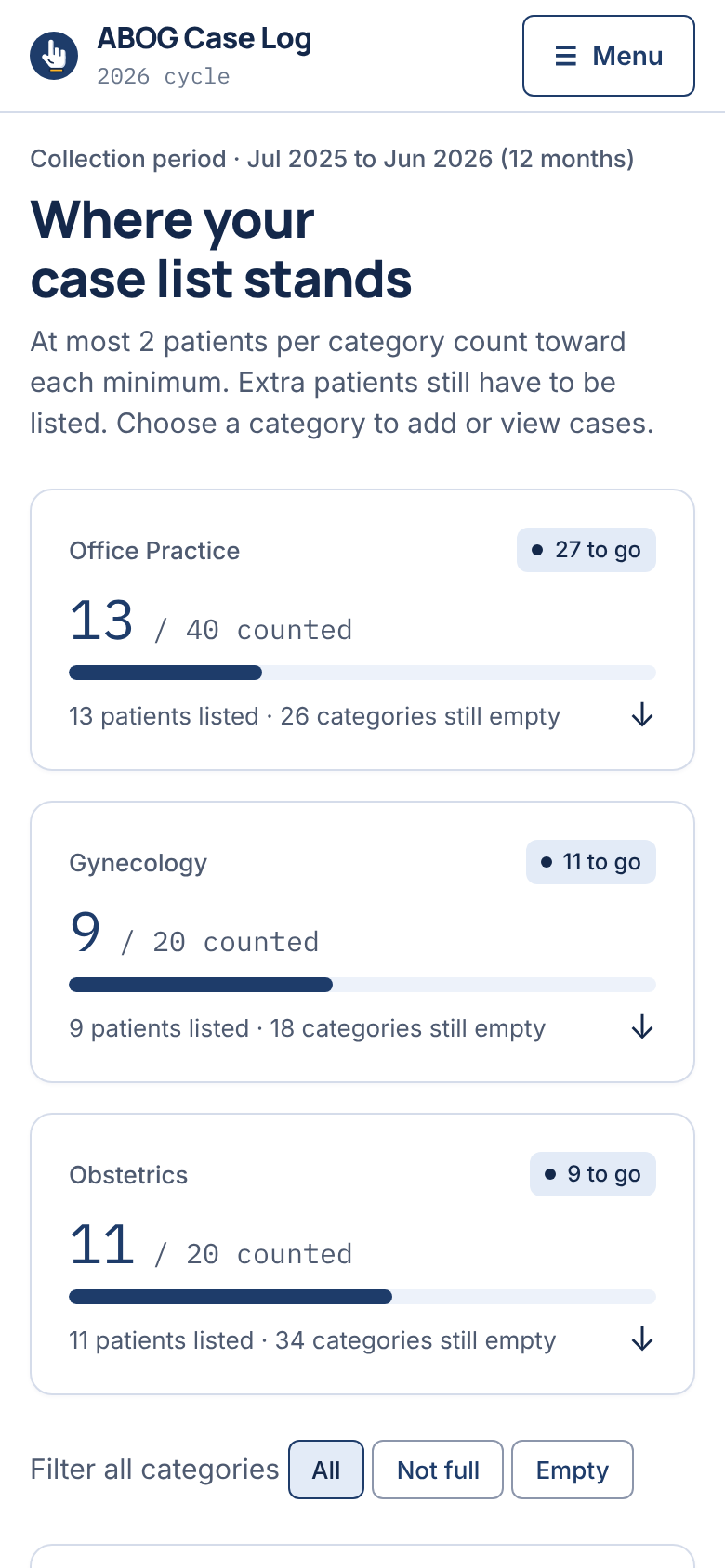
Know exactly which cases you still need
Only two patients per category count toward each minimum, so a long list can still fall short. The dashboard counts what ABOG counts and shows every category you have not covered yet.
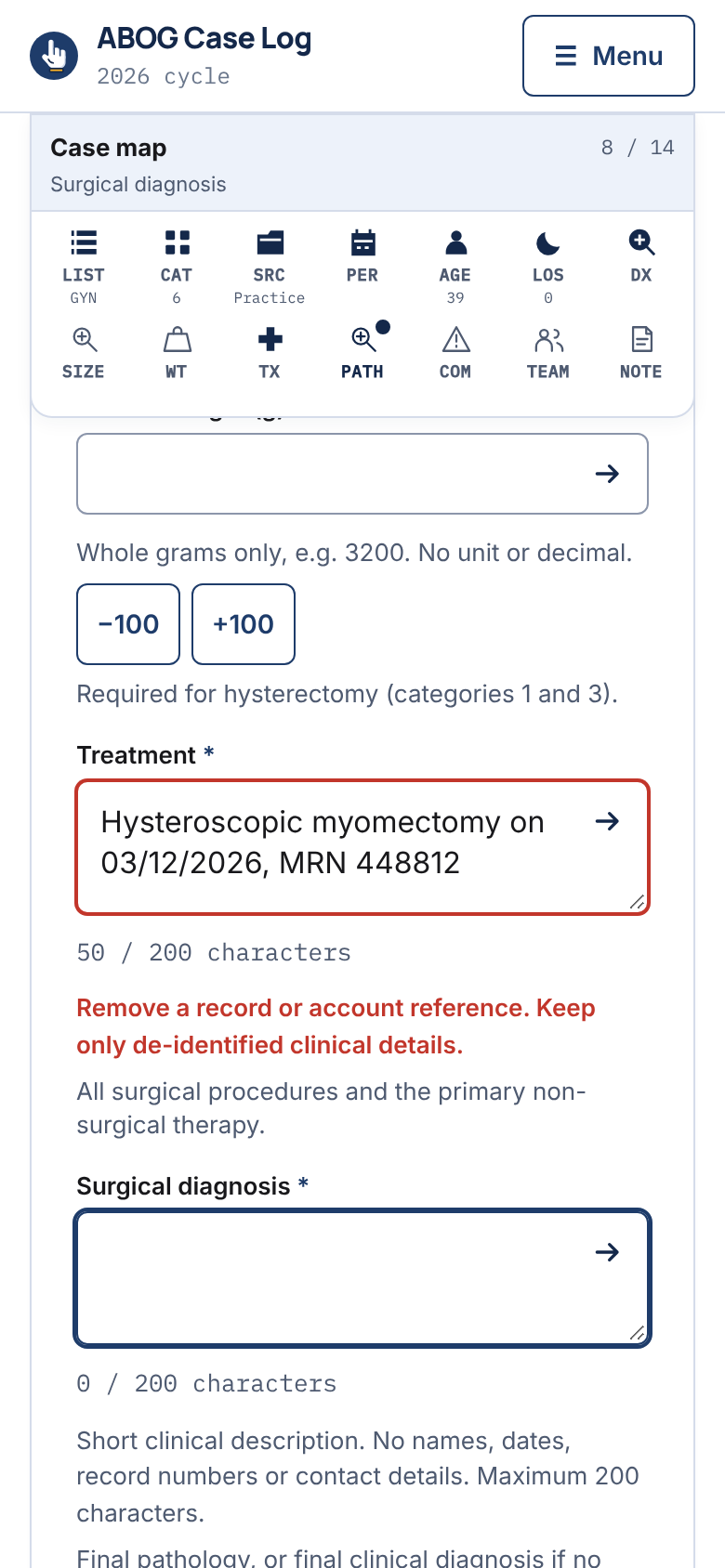
Catch patient identifiers before they reach your list
A date or a record number slips in easily at the end of a long shift. Each field is checked as you type, and the case is not saved until the identifier is gone.
Move your lists into the ABOG portal without retyping
Download one CSV per list, laid out in the fields ABOG asks for. A ready-made prompt has a browser AI assistant enter the cases in the portal and flag whatever is unclear.
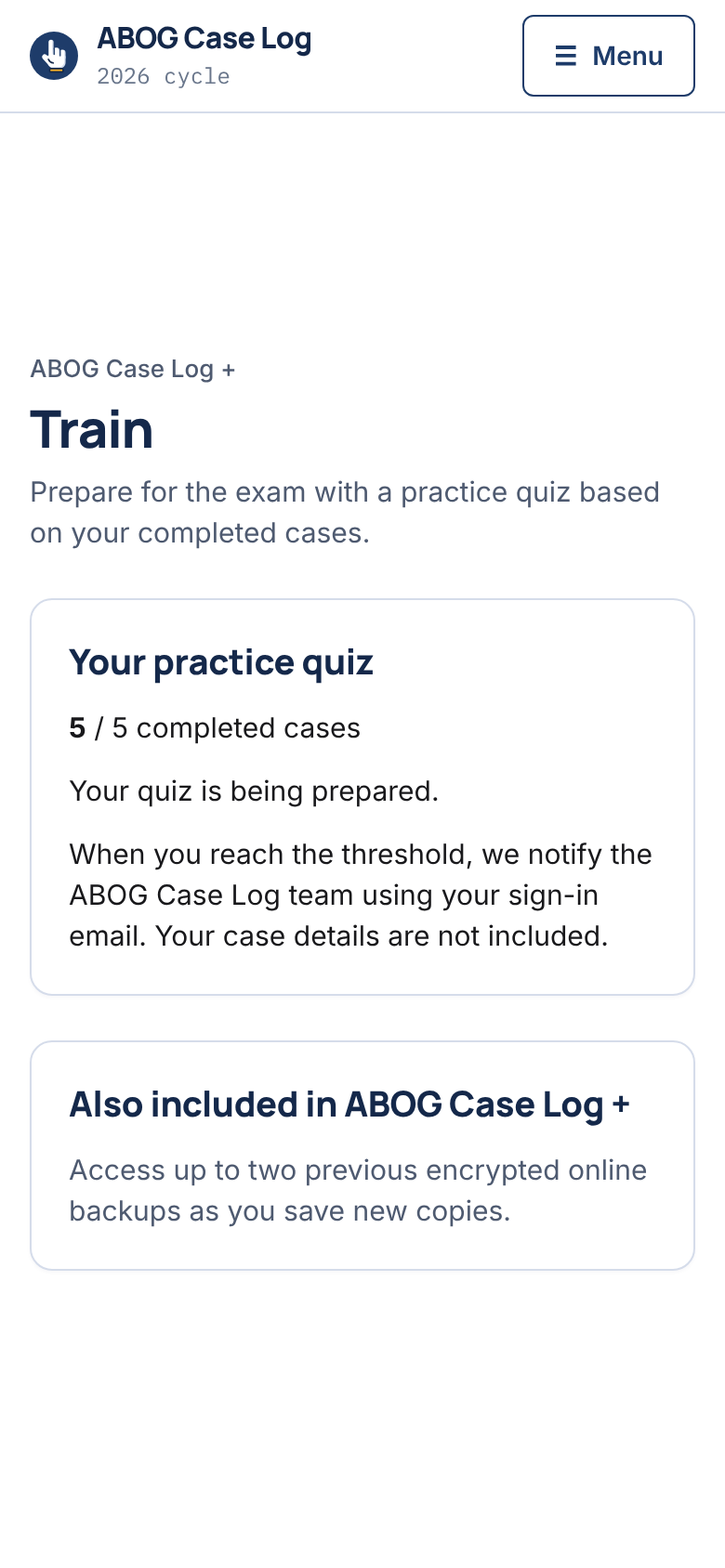
Practice the oral exam on your own patients
Examiners pick cases from your list and ask how you managed them. With ABOG Case Log +, five completed cases unlock a practice quiz built from the cases you logged.
From the ABOG instructions for the 2026 Specialty Certifying Exam. Check the official bulletin on abog.org before you submit.
Your case list stays in your hands
Your working case list is saved in your browser. Nothing is sent online unless you choose to save a copy.
On your deviceThe form asks only for what ABOG asks for: no names, dates, record numbers or contact details.
De-identified by designChoose “Save online” to keep an encrypted copy tied to your email. Signing in on a new browser restores it.
Encrypted backup, when you decideStart your case list today, it's free
The case log, the progress dashboard, the CSV exports and your latest encrypted backup are free. ABOG Case Log + is a one-time upgrade that adds oral exam practice and keeps two previous backups.
